A few weeks ago, we visited Startup Nights. It's Switzerland’s biggest startup fair. We returned with one big insight. One thing that seems to have everyone (not just Switzerland) in a chokehold: Artificial Intelligence. Yeah, right, no surprise there: AI as a buzzword is at its peak. But seeing how much inspiration it sparked across Swiss startups and SMEs was genuinely impressive.
It left me thinking: How does this impact us and our clients? How does AI fit into Power BI and how can we use ABI (Artificial Business Intelligence)? Is there anything beyond Copilot? How can SMEs jump on the AI wave without exploding costs or without huge risks? What real results can we expect? Because, let’s be honest: the Hype is real. But so is the FOMO. So, let's cut out poopoo and find answers to some real questions.
Abstract
AI is reshaping how SMEs work with data - not by replacing dashboards, but by supercharging them. In this blog, we explore why adding AI on top of your existing Power BI environment creates smarter insights, faster decisions, and less manual effort. We break down what is possible today (Copilot, Azure OpenAI, Fabric), where the limitations lie for SMEs, and how custom embedded AI inside Power BI can unlock real value without massive costs or complexity. Plus: a demo dashboard so you can try it out yourself.
Introduction: Why Combine AI with Your Data?
Fact is: the value of your data grows exponentially when paired with AI. Suddenly, the millions of order lines don't overwhelm, they empower us.
But here’s the real challenge: the amount of data has grown so much that it’s almost impossible to manually dissect what it all means. Many of our bigger clients (typically larger SMEs with, say, 500 seats) sit on rich and richer datasets, but lack the tools to extract deeper insights. AI helps bridge that gap. Even with Power BI - and its many KPIs, visuals, and metrics - it’s easy to lose sight of what truly matters. AI can simplify the process of extracting answers from data. It can answer business questions, uncover trends, and support ad-hoc decisions… without the need of a full data science team.
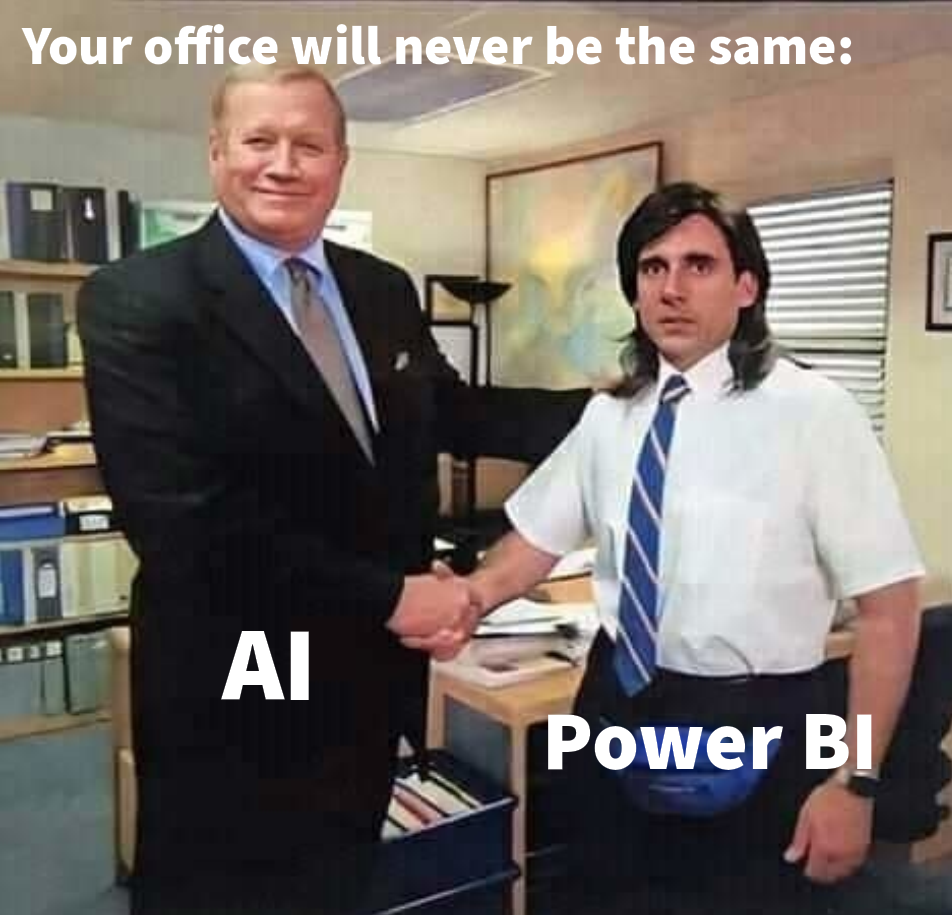
When our CEO and CFO clients talk about AI, they often seem to think in terms of “replacement”. Replacing people. Replacing legacy solutions. But let’s be honest: if your employer is anything like our clients, AI probably won’t replace you in 2026. Instead, look at it like your right hand, your wingman.
And as tempting as it sounds, AI will not replace your ERP system for now, even though new "AI first ERP" systems like DualEntry are in the buzz. Also, AI will not magically "handle everything". There will always be a need for structured data. And there will always be a place for well-designed dashboards. In a fast-paced environment, management doesn’t want to type the same prompt every single day. They want to track the same KPIs over some period of time. For regular and consistent decision-making over time, dashboards still outperform. AI simply steps in as a helpful assistant - taking over the repetitive analyses that otherwise stay stuck on the to-do list.
State of the Industry: What is possible today?
State of the Art: How to lever up BI with AI?
Today, the following options have emerged as best-of-breed solutions:
Option 1: Copilot in Power BI:
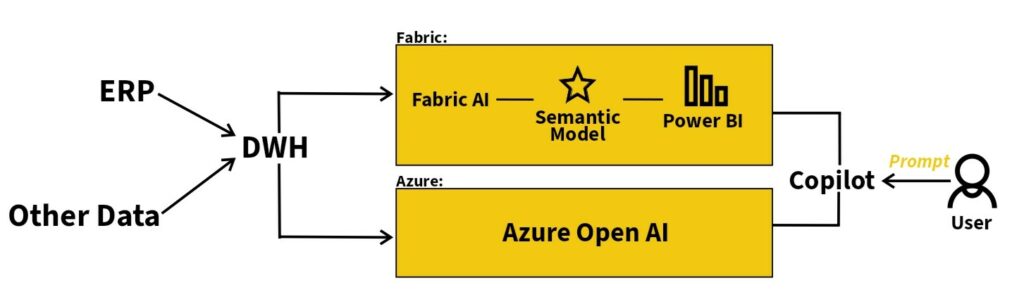
Copilot lets users ask questions in natural language and supports both consumption and creation (consumption of data and creation of dashboards and code). Management can ask data questions and instantly get visuals or summaries, while data analysts can let Copilot generate measures, queries or even entire report drafts. It’s important to remember that Copilot only works well with the right setup, including: Premium or Fabric capacity, a well-designed semantic model, and proper governance.
Option 2: Azure OpenAI Service:
Azure OpenAI gives you secure access to GPT-4, GPT-4o, embeddings, vision models and more - all within Azure’s trusted environment. It’s ideal for automated text tasks, insight generation, advanced enrichment, or building custom chatbots and assistants. Azure OpenAI can process and refine data before it enters Power BI, enabling scenarios that go far beyond what Copilot can do out of the box. However, there is currently no out-of-the-box integration in Power BI.
Microsoft Fabric AI Integrations:
Microsoft Fabric brings data engineering, data science, real-time analytics, Power BI and AI into one unified platform. With integrated access to Azure OpenAI models, you can enhance data pipelines, enrich datasets, run machine learning workflows, and embed AI directly into your analytics processes. In other words: Fabric is where end-to-end data and AI come together - from raw data to automated insights.
Actual integration across SMEs
While these options exist, out-of-the-box AI solutions come with real limitations for SMEs. They often require a costly setup - Fabric capacity, extra licenses, perfect data models, mature BI environments - which many organisations simply don’t have (and don’t need otherwise). They’re also technically demanding: AI expects a pristine semantic model, even though most SMEs still deal with inconsistent sources, manual steps, or half-automated data flows. And then there’s governance. With AI-generated insights, someone needs to ensure accuracy, define responsibilities, and guarantee security and privacy. Without these guardrails, the risk of “AI guessing” becomes very real.
These challenges are exactly why custom, embedded AI experiences are on the rise. Instead of fighting with prerequisites and rigid frameworks, SMEs can use AI features that live directly inside Power BI - tailored to their data, their KPIs, and their level of complexity. This way, you stay in full control: what the AI is allowed to generate, which KPIs it references, how it explains its answers, and where the boundaries are.
In no time, you'll be a pro at so called Conversational BI - the new way we look and analyse Data.
How do we use AI?
The AI frenzy hasn’t passed our offices in Switzerland and Belgium either. By now, AI has become a reliable teammate in our daily project work. Behind the scenes - in the development of our data warehouses and Power BI dashboards - we use AI to automate repetitive tasks such as writing DAX measures, generating Python scripts for data preprocessing, and more.
This allows us to move faster, reduce manual work, and spend more time where it really matters: modelling clean data and building meaningful insights (and of course for our weekly team quiz, which definitely cannot be replaced with AI). Of course this is another view on how developers can use AI and not users, a topic for another Dashboard of the Month maybe.
Want to learn more about Data and AI over a beer?
We're organising an exclusive Roundtable in Q1 surrounding the Killer Combination of AI, BI and Data. Want to know more and maybe even snatch yourself an invitation? Leave your Email for some firsts news (and no, you're not automatically on our Newsletter list, don't worry)!
Sales Dashboard with Embedded AI Prompting
Before we dive into the details, here’s a short tour of how the embedded AI actually works inside Power BI. The visual consists of a simple prompt box - where you type your question - and a response area that instantly returns the AI-generated insight. No switching tools, no extra windows, no surprises: You'll get a similar look-and-feel as with ChatGPT. Just ask, and the insight appears right next to your data.
But now it's finally time to try it out for yourself! Check out our Demo Dashboard with the embedded AI and find out how it actually works. You could use prompts like...
- ... “What were the top 3 products by revenue last quarter?”
- ... “Compare sales performance between regions.”
- ... “Which sales rep had the highest growth YoY?”
- ... “Summarize customer churn trends.”
And always remember: The better your prompt, the better your answer.
But now... What can you actually do with this?
AI plug-ins for Power BI already range from Copilot, to third-party visuals like Phrazor, all the way to Azure OpenAI and custom embedded AI models. In other words: there’s something for every budget and every BI setup - and the list keeps growing every month. If the options feel overwhelming or you've got any questions, don’t worry… that’s what we’re here for.
Other Ideas
This embedded AI feature doesn’t have to be built from scratch - you can simply slip it into your existing dashboards and instantly level them up. It’s one of the easiest ways to squeeze even more value out of the reports you already use every day.
And for teams with stricter security or privacy requirements, there’s an even cooler option: connecting Power BI to private, secure LLMs, e.g. on Azure Open AI. That means you get AI-powered insights without compromising compliance or losing sleep over where your data goes.
Let's conclude!
AI won’t replace your dashboards - it makes them sharper, faster, and surprisingly fun. Whether through Copilot, Azure OpenAI or custom models, SMEs now have real opportunities to turn data overload into clarity. The future of analytics is simple: visual + intelligent. And the best part? You can start today, right inside Power BI.
Just try it out!
So, what are you waiting for? Grab a free appointment and, together with Christoph Glur, you will find out how ABI can help you!